Upload date
All time
Last hour
Today
This week
This month
This year
Type
All
Video
Channel
Playlist
Movie
Duration
Short (< 4 minutes)
Medium (4-20 minutes)
Long (> 20 minutes)
Sort by
Relevance
Rating
View count
Features
HD
Subtitles/CC
Creative Commons
3D
Live
4K
360°
VR180
HDR
5,372 results
In Tutorial 20, we learn the basics of using the groove~ object. In this tutorial, we hook it up to our ole' keyboard from Tuts 13/14/15 ...
2,966 views
7 years ago
Starting from a blank patcher, we throw together a rudimentary drum machine using our new-found skills of stealing from the Help ...
15,272 views
11 years ago
Starting simple; we use the "cycle~ object" to make sound. Cycle~ makes sine waves of whatever frequency you send to it.
10,964 views
In Tutorial 20, we learned the basics of using the groove~ object. In this tutorial, we hook it up to our ole' keyboard from Tuts ...
3,999 views
5 years ago
There's two types of boxes we use a lot of in Max. You can make complex patchers out of lots of objects and put them in a box, ...
5,150 views
In this tutorial, we make some minor modifications on our "Computer Key to Musical Key" patcher. Then we clean up a bit by ...
9,356 views
We take the looper from Tutorial 46 and add the ability to change rate, and then make a "umenu" learn what movies are,.. so we ...
1,264 views
8 years ago
Hi welcome to Max 7 tutorial number 28 multi modal Music Machine part. One God I love this thing all right well our plan.
4,005 views
Win 20250701 20 58 45 Pro.mp4 Perfekt, dann passe ich alles an den englischen Sprachstil deines Videos an – sarkastisch, ...
18 views
6 months ago
In this video, we build one more device for driving multiple parameters, but this time we switch to "phasor~" because it ramps from ...
3,968 views
6 years ago
2,097 views
A continuation about using "analog tools" to make sound, except that these objects "emulate" analog electronics to make sound in ...
3,446 views
This tutorial covers a lot: we make a patcher to change "Computer Keyboard" input to "Musical Keyboard" input, and send it out to ...
12,416 views
Hey there this is the max 7 tutorial number 33 popup in the M4 meaning the multimodal music machine um I just did a video about ...
1,173 views
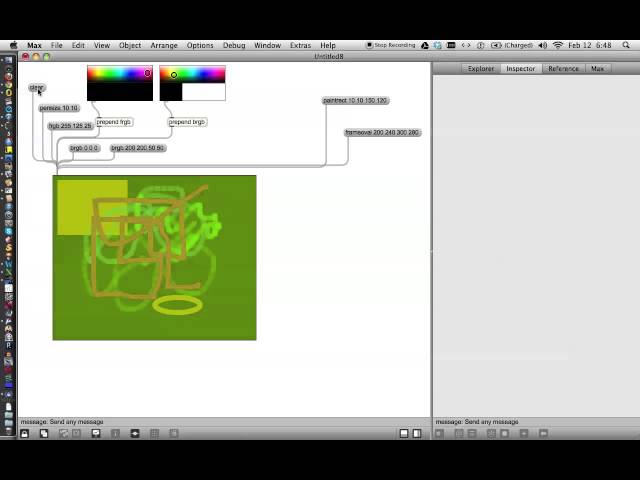
We'll start drawing in Max with a clean slate. Tutorial 19 shows how to use the "LCD" object to make simple graphics with Max.
2,736 views
13 years ago
The "info~" object can read this information IF it is stored in an AIF or AIFF file. We're not going to worry about how to store loop ...
7,838 views
Creative Coding (PAT 204/504), University of Michigan, Fall 2025 Slides: ...
35 views
5 months ago
We take the Video Player we made in the last tutorial and add a bunch of sliders to make a Video Looper. The trick is to get the ...
4,139 views
Note: This is a Beginner's Tutorial for getting started with Max. Since these Tutorials are for educational purposes, I have changed ...
404 views
1 year ago
In part one, we made a single track that could record and loop audio. In this second part, we duplicate that into 4 tracks, then add ...
366 views